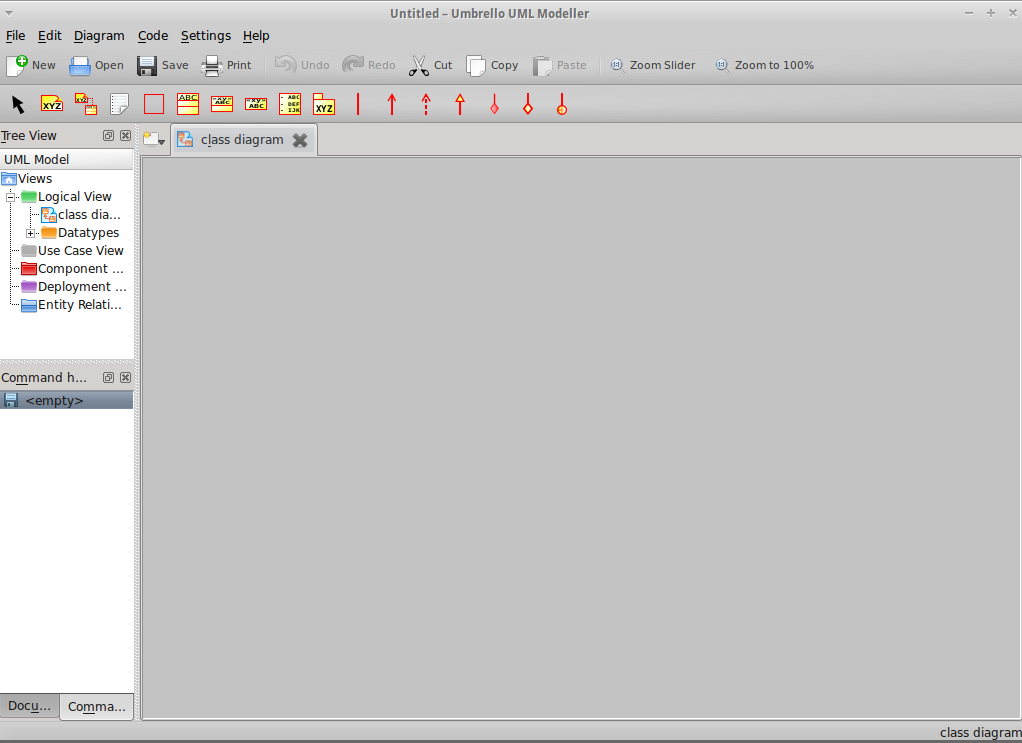
Para realizar la auto-generación de código de mi proyecto, hice el diagrama de clases utilizando la herramienta Umbrello.
El código auto-generado es el siguiente:
/**
* Class Empleado
*/
public class Empleado {

//
// Fields
//

private int no_empleado;
private String nom_empleado;
private int contraseña;

//
// Constructors
//
public Empleado () { };

//
// Methods
//


//
// Accessor methods
//

/**
* Set the value of no_empleado
* @param newVar the new value of no_empleado
*/
private void setNo_empleado ( int newVar ) {
no_empleado = newVar;
}

/**
* Get the value of no_empleado
* @return the value of no_empleado
*/
private int getNo_empleado ( ) {
return no_empleado;
}

/**
* Set the value of nom_empleado
* @param newVar the new value of nom_empleado
*/
private void setNom_empleado ( String newVar ) {
nom_empleado = newVar;
}

/**
* Get the value of nom_empleado
* @return the value of nom_empleado
*/
private String getNom_empleado ( ) {
return nom_empleado;
}

/**
* Set the value of contraseña
* @param newVar the new value of contraseña
*/
private void setContraseña ( int newVar ) {
contraseña = newVar;
}

/**
* Get the value of contraseña
* @return the value of contraseña
*/
private int getContraseña ( ) {
return contraseña;
}

//
// Other methods
//

/**
*/
public void entrar(  )
{
}


/**
*/
public void consultar(  )
{
}


}
Clase Cliente
/**
* Class Cliente
*/
public class Cliente {

//
// Fields
//

private int no_cliente;
private String nom_cliente;
private String colonia;
private String calle;
private int no_dir;
private int cp_dir;
private int tel_cliente;

//
// Constructors
//
public Cliente () { };

//
// Methods
//


//
// Accessor methods
//

/**
* Set the value of no_cliente
* @param newVar the new value of no_cliente
*/
private void setNo_cliente ( int newVar ) {
no_cliente = newVar;
}

/**
* Get the value of no_cliente
* @return the value of no_cliente
*/
private int getNo_cliente ( ) {
return no_cliente;
}

/**
* Set the value of nom_cliente
* @param newVar the new value of nom_cliente
*/
private void setNom_cliente ( String newVar ) {
nom_cliente = newVar;
}

/**
* Get the value of nom_cliente
* @return the value of nom_cliente
*/
private String getNom_cliente ( ) {
return nom_cliente;
}

/**
* Set the value of colonia
* @param newVar the new value of colonia
*/
private void setColonia ( String newVar ) {
colonia = newVar;
}

/**
* Get the value of colonia
* @return the value of colonia
*/
private String getColonia ( ) {
return colonia;
}

/**
* Set the value of calle
* @param newVar the new value of calle
*/
private void setCalle ( String newVar ) {
calle = newVar;
}

/**
* Get the value of calle
* @return the value of calle
*/
private String getCalle ( ) {
return calle;
}

/**
* Set the value of no_dir
* @param newVar the new value of no_dir
*/
private void setNo_dir ( int newVar ) {
no_dir = newVar;
}

/**
* Get the value of no_dir
* @return the value of no_dir
*/
private int getNo_dir ( ) {
return no_dir;
}

/**
* Set the value of cp_dir
* @param newVar the new value of cp_dir
*/
private void setCp_dir ( int newVar ) {
cp_dir = newVar;
}

/**
* Get the value of cp_dir
* @return the value of cp_dir
*/
private int getCp_dir ( ) {
return cp_dir;
}

/**
* Set the value of tel_cliente
* @param newVar the new value of tel_cliente
*/
private void setTel_cliente ( int newVar ) {
tel_cliente = newVar;
}

/**
* Get the value of tel_cliente
* @return the value of tel_cliente
*/
private int getTel_cliente ( ) {
return tel_cliente;
}

//
// Other methods
//

/**
*/
public void registrar(  )
{
}


}
Clase Película
/**
* Class Pelicula
*/
public class Pelicula {

//
// Fields
//

private int no_pel;
private String titulo;
private String material;
private String situacion;
private String genero;
private String clasificacion;
private double costoVta;
private double costoRta;
private int cantpel_vta;
private int cantpel_rta;

//
// Constructors
//
public Pelicula () { };

//
// Methods
//


//
// Accessor methods
//

/**
* Set the value of no_pel
* @param newVar the new value of no_pel
*/
private void setNo_pel ( int newVar ) {
no_pel = newVar;
}

/**
* Get the value of no_pel
* @return the value of no_pel
*/
private int getNo_pel ( ) {
return no_pel;
}

/**
* Set the value of titulo
* @param newVar the new value of titulo
*/
private void setTitulo ( String newVar ) {
titulo = newVar;
}

/**
* Get the value of titulo
* @return the value of titulo
*/
private String getTitulo ( ) {
return titulo;
}

/**
* Set the value of material
* @param newVar the new value of material
*/
private void setMaterial ( String newVar ) {
material = newVar;
}

/**
* Get the value of material
* @return the value of material
*/
private String getMaterial ( ) {
return material;
}

/**
* Set the value of situacion
* @param newVar the new value of situacion
*/
private void setSituacion ( String newVar ) {
situacion = newVar;
}

/**
* Get the value of situacion
* @return the value of situacion
*/
private String getSituacion ( ) {
return situacion;
}

/**
* Set the value of genero
* @param newVar the new value of genero
*/
private void setGenero ( String newVar ) {
genero = newVar;
}

/**
* Get the value of genero
* @return the value of genero
*/
private String getGenero ( ) {
return genero;
}

/**
* Set the value of clasificacion
* @param newVar the new value of clasificacion
*/
private void setClasificacion ( String newVar ) {
clasificacion = newVar;
}

/**
* Get the value of clasificacion
* @return the value of clasificacion
*/
private String getClasificacion ( ) {
return clasificacion;
}

/**
* Set the value of costoVta
* @param newVar the new value of costoVta
*/
private void setCostoVta ( double newVar ) {
costoVta = newVar;
}

/**
* Get the value of costoVta
* @return the value of costoVta
*/
private double getCostoVta ( ) {
return costoVta;
}

/**
* Set the value of costoRta
* @param newVar the new value of costoRta
*/
private void setCostoRta ( double newVar ) {
costoRta = newVar;
}

/**
* Get the value of costoRta
* @return the value of costoRta
*/
private double getCostoRta ( ) {
return costoRta;
}

/**
* Set the value of cantpel_vta
* @param newVar the new value of cantpel_vta
*/
private void setCantpel_vta ( int newVar ) {
cantpel_vta = newVar;
}

/**
* Get the value of cantpel_vta
* @return the value of cantpel_vta
*/
private int getCantpel_vta ( ) {
return cantpel_vta;
}

/**
* Set the value of cantpel_rta
* @param newVar the new value of cantpel_rta
*/
private void setCantpel_rta ( int newVar ) {
cantpel_rta = newVar;
}

/**
* Get the value of cantpel_rta
* @return the value of cantpel_rta
*/
private int getCantpel_rta ( ) {
return cantpel_rta;
}

//
// Other methods
//

/**
*/
public void vender(  )
{
}


/**
*/
public void rentar(  )
{
}


/**
*/
public void agregar(  )
{
}


/**
*/
public void eliminar(  )
{
}


}
Clase Ticket
/**
* Class Ticket
*/
public class Ticket {

//
// Fields
//

protected int no_tick;
protected int cantPeliculas = 0;
protected String fecha;
protected double subtotal;
protected double total;

//
// Constructors
//
public Ticket () { };

//
// Methods
//


//
// Accessor methods
//

/**
* Set the value of no_tick
* @param newVar the new value of no_tick
*/
protected void setNo_tick ( int newVar ) {
 no_tick = newVar;
}

/**
* Get the value of no_tick
* @return the value of no_tick
*/
protected int getNo_tick ( ) {
 return no_tick;
}

/**
* Set the value of cantPeliculas
* @param newVar the new value of cantPeliculas
*/
protected void setCantPeliculas ( int newVar ) {
 cantPeliculas = newVar;
}

/**
* Get the value of cantPeliculas
* @return the value of cantPeliculas
*/
protected int getCantPeliculas ( ) {
 return cantPeliculas;
}

/**
* Set the value of fecha
* @param newVar the new value of fecha
*/
protected void setFecha ( String newVar ) {
 fecha = newVar;
}

/**
* Get the value of fecha
* @return the value of fecha
*/
protected String getFecha ( ) {
 return fecha;
}

/**
* Set the value of subtotal
* @param newVar the new value of subtotal
*/
protected void setSubtotal ( double newVar ) {
 subtotal = newVar;
}

/**
* Get the value of subtotal
* @return the value of subtotal
*/
protected double getSubtotal ( ) {
 return subtotal;
}

/**
* Set the value of total
* @param newVar the new value of total
*/
protected void setTotal ( double newVar ) {
 total = newVar;
}

/**
* Get the value of total
* @return the value of total
*/
protected double getTotal ( ) {
 return total;
}

//
// Other methods
//

/**
*/
protected void imprimir(  )
{
}


}
Clase TicketVenta
/**
* Class TicketVenta
*/
public class TicketVenta extends Ticket {

//
// Fields
//


//
// Constructors
//
public TicketVenta () { };

//
// Methods
//


//
// Accessor methods
//

//
// Other methods
//

/**
*/
public void imprimir(  )
{
}


}
Clase TicketRenta
/**El código auto-generado del esqueleto del proyecto es casi el mismo que el código del esqueleto que yo realice, solamente que en el código auto-generado se utilizan los método get y set para modificar y leer los atributos de cada clase.
* Class TicketRenta
*/
public class TicketRenta extends Ticket {
//
// Fields
//
private String fechaLimRta;
private String fechaEntrega;
private double multa;
//
// Constructors
//
public TicketRenta () { };
//
// Methods
//
//
// Accessor methods
//
/**
* Set the value of fechaLimRta
* @param newVar the new value of fechaLimRta
*/
private void setFechaLimRta ( String newVar ) {
fechaLimRta = newVar;
}
/**
* Get the value of fechaLimRta
* @return the value of fechaLimRta
*/
private String getFechaLimRta ( ) {
return fechaLimRta;
}
/**
* Set the value of fechaEntrega
* @param newVar the new value of fechaEntrega
*/
private void setFechaEntrega ( String newVar ) {
fechaEntrega = newVar;
}
/**
* Get the value of fechaEntrega
* @return the value of fechaEntrega
*/
private String getFechaEntrega ( ) {
return fechaEntrega;
}
/**
* Set the value of multa
* @param newVar the new value of multa
*/
private void setMulta ( double newVar ) {
multa = newVar;
}
/**
* Get the value of multa
* @return the value of multa
*/
private double getMulta ( ) {
return multa;
}
//
// Other methods
//
/**
*/
public void imprimir( )
{
}
}
Referencias:
Saludos.